

Routines
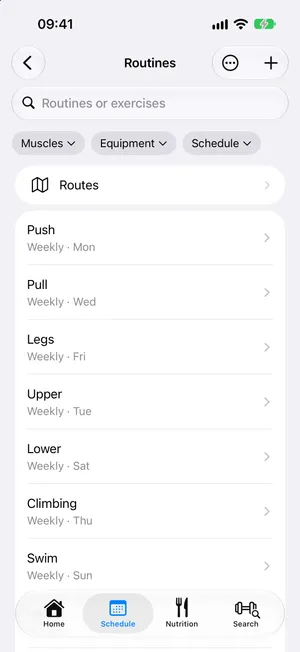
A routine keeps the exercises you do together, so you set them up once and repeat them. Open Routines from the Schedule.
android/routinesBuilding a routine
Section titled “Building a routine”New Routine asks for a name, then Add Exercise picks from the catalog or your own exercises. Each exercise gets its sets:
- Columns choose what each set records: reps, weight, time, distance, elevation gain. Mix them freely: a weighted carry has weight and distance, a plank only time.
- Leave a target empty to decide it during the workout.
- Rest follows each set, or Until Ready: no countdown, the clock counts up until you start the next set.
- To Failure plans a set as far as you can go on its reps, time or distance: a number there is what you expect at least, shown “8+”, and doing more never counts as falling short. A plank held to failure is a timed set with the switch on.
- Apply to All Sets writes one set’s targets into every set of the exercise. Duplicate copies a set right after itself.
- New sets are prefilled from your last session of that exercise, or from another routine that has it.
ios/set-editorandroid/set-editorSupersets
Section titled “Supersets”Touch and hold an exercise and choose Superset With to pair it with another. A superset plays one set of each exercise in turn, then rests between rounds. Ungroup splits it again; Move Out of Superset takes one exercise out.
Muscles worked
Section titled “Muscles worked”Muscles Worked shows on the body map which muscles the routine trains, as main targets or in support.
Repeating it
Section titled “Repeating it”Repeat puts the routine on your schedule: every day, every week or two, every month, or a custom rule as precise as a calendar’s: every 3 days, Monday Wednesday Friday, the first Saturday of the month, ending after a number of sessions or on a date. A routine with no schedule is still there to start whenever you like, or to Plan on a Date….
The routine’s page lists its next days under Occurrences; See All opens every one of them, past and ahead.
Finding and tidying
Section titled “Finding and tidying”Search matches routine and exercise names. Filter by Muscles, Equipment and Schedule. Archive takes a routine off your schedule without losing its history (with an Undo); archived routines wait at the bottom of the list to be restored.
Without a routine
Section titled “Without a routine”Quick Workout… (from + on the Schedule or Home) starts a workout from exercises you pick on the spot. Log a Past Workout… does the same for a session you did without the app. Afterwards, Save as Routine… keeps it to do again.